Emitter Setup
The emitter editor lives in the Structure view. Each emissive layer (EML) holds its own independent list of emitters; the emitter parameters define the dipole spectrum type, spatial distribution, orientation, and efficiency — all serve as inputs to the emission simulation. Before starting this section, build the device layer stack (layer order, thickness, refractive-index model, layer groups, and surrounding media) following Structure Configuration; this section only marks an emissive layer on that structure and configures its emitters.
Marking an emissive layer
In the Structure page layer table, every Layer row has an Emis. column (header Emis.). Click the toggle switch in that column to mark the layer as an emissive layer (EML).
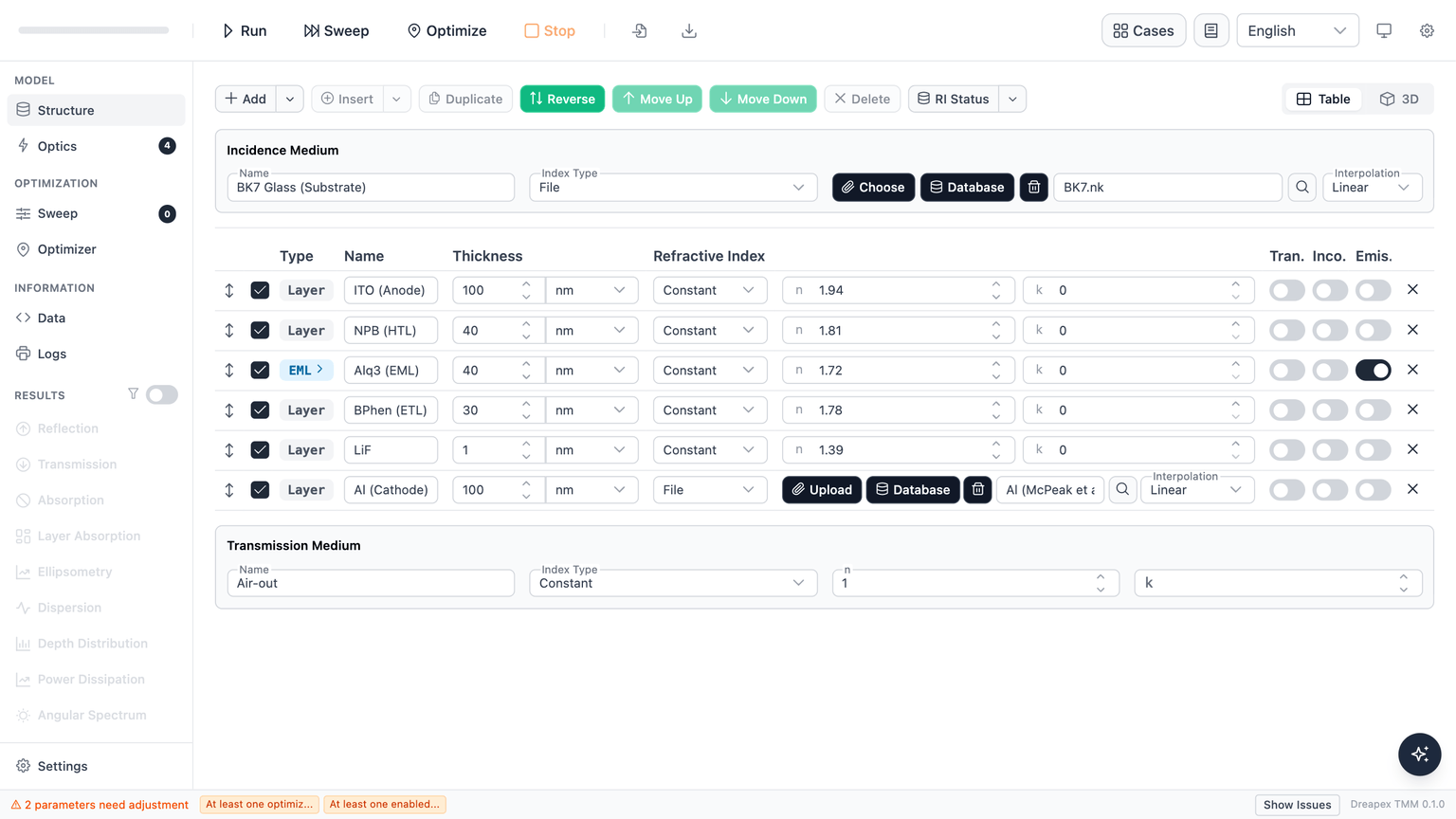
Toggle-on behavior
- If the layer's emitter list is empty, the system automatically seeds one default emitter (named
Emitter 1) and expands the emitter editor for that layer. - The emitter editor appears as an expansion row beneath the layer; click the EML pill in the layer type column to collapse or expand it.
Toggle-off behavior (non-destructive)
- Turning off the Emis. switch does not delete existing emitter data; the editor collapses but data is preserved.
- Re-enabling the switch restores the full emitter list.
Multi-EML support
Multiple layers can be marked as EML simultaneously. Each layer holds its own independent emitter list.
Layer Group-nested layers
Layers inside a Layer Group also support the Emis. toggle. The Optics page inspects both top-level and group-nested layers to determine whether any emissive layer (EML) is active.
Emitter editor
The emitter editor displays all emitter cards for the selected layer. Each card header provides an enable/disable toggle, move up, move down, duplicate, and delete controls; the card body is a 4-column grid containing all fields below.
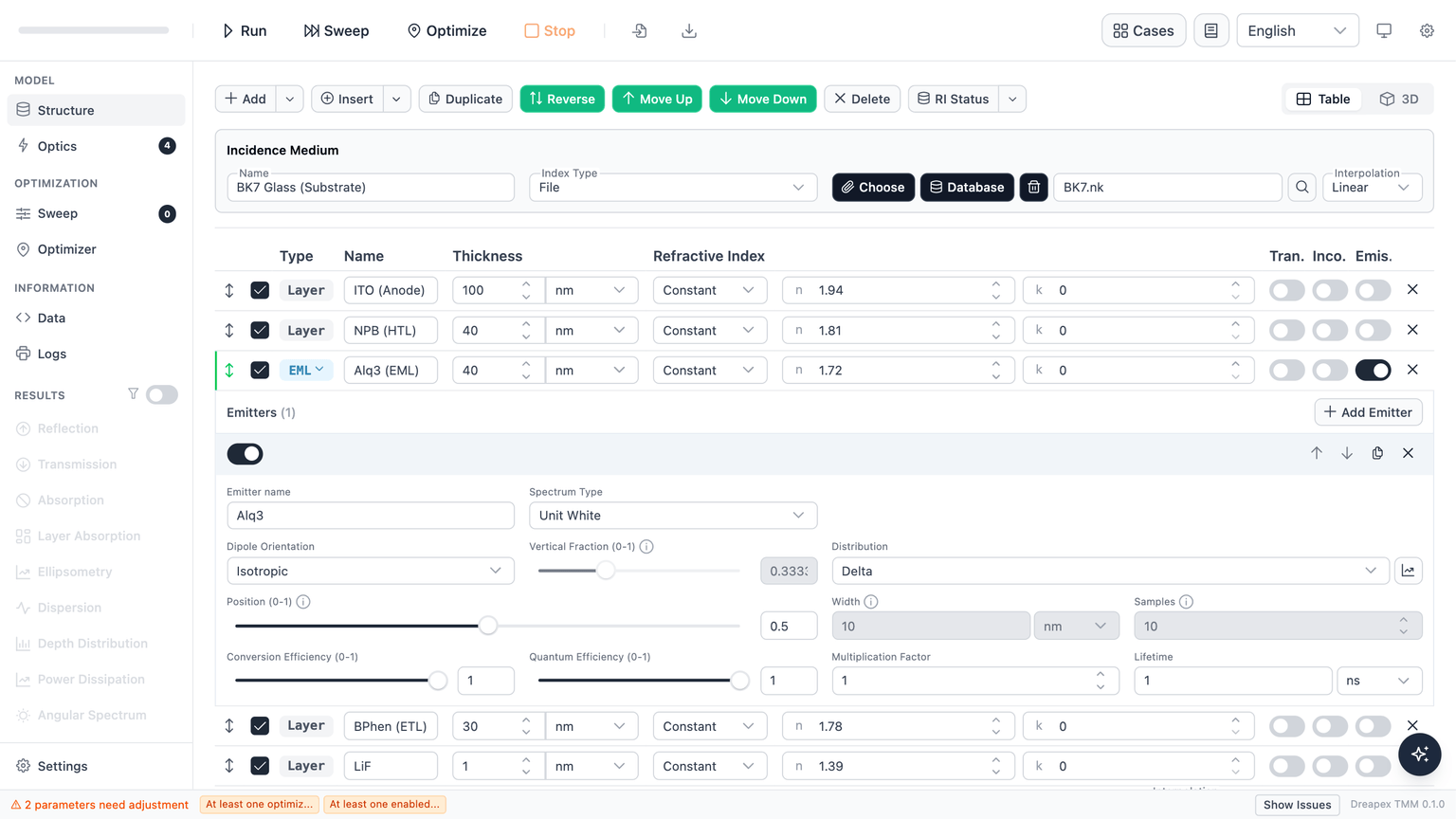
| Field | Control / Range / Unit | Meaning (1 line) |
|---|---|---|
| Emitter name | Text input; default Emitter {index} | Display label only; no physical effect |
| Spectrum Type | Dropdown: Unit White / File; default Unit White | Unit White = flat unit spectrum; File = custom measured or theoretical spectrum |
| Spectrum File | File upload (.txt / .pl, ≤ 2 MB, 2 columns: wavelength intensity); shown only when Spectrum Type = File | External or theoretical emission spectrum, replacing the flat white approximation |
| Dipole Orientation | Dropdown: Isotropic / Parallel / Perpendicular / Custom; default Isotropic | Orientation controls TE/TM coupling ratio and far-field angular distribution; see theory page |
| Vertical Fraction (0-1) | Slider + number input; range 0–1, step 0.01; enabled only when orientation = Custom; default ≈ 0.333 | Fraction of perpendicular (vertical) dipoles: 0 = all parallel, 1 = all perpendicular, 1/3 = isotropic |
| Distribution | Dropdown: Delta / Exponential / Gaussian / File; default Delta | Spatial profile of the emitter across the layer thickness; see Dipole distribution below |
| Position (0-1) | Slider + number input; range 0–1, step 0.01; default 0.5; hidden when Distribution = File | Relative position inside the layer: 0 = near top surface (incidence side), 1 = near bottom surface (transmission side) |
| Width | Number input + unit select (nm / um / mm); > 0; default 10 nm; disabled when Distribution = Delta | Gaussian standard deviation or exponential decay length; profile is sampled inside the layer and renormalized |
| Samples | Integer input; range 1–100; default 10; disabled when Distribution = Delta | Number of point dipoles used to approximate the distribution; Delta always uses a single point |
| Distribution File | File upload (.txt / .csv, ≤ 2 MB, 2 columns: position density); shown only when Distribution = File | Arbitrary custom emission zone profile |
| Conversion Efficiency (0-1) | Slider + number input; range 0–1, step 0.01; default 1 | Product of charge balance factor and spin-statistics factor; quantifies the probability that an injected charge pair produces an exciton. See theory page |
| Quantum Efficiency (0-1) | Slider + number input; range 0–1, step 0.01; default 1 | Intrinsic radiative quantum efficiency q₀, modified by the Purcell effect to yield the effective quantum efficiency. See theory page |
| Multiplication Factor | Number input; ≥ 0, step 0.1; default 1 | Linear scaling applied to this emitter's intensity; used to set relative weights among multiple emitters |
| Lifetime | Number input + unit select (ns / us / ms); > 0, step 0.1; default 1 ns | Intrinsic radiative lifetime; modified by the Purcell factor to yield the effective lifetime. See theory page |
Dipole distribution
The Distribution field sets the spatial profile of emitting dipoles across the layer thickness.
| Type | Description | Width / Samples |
|---|---|---|
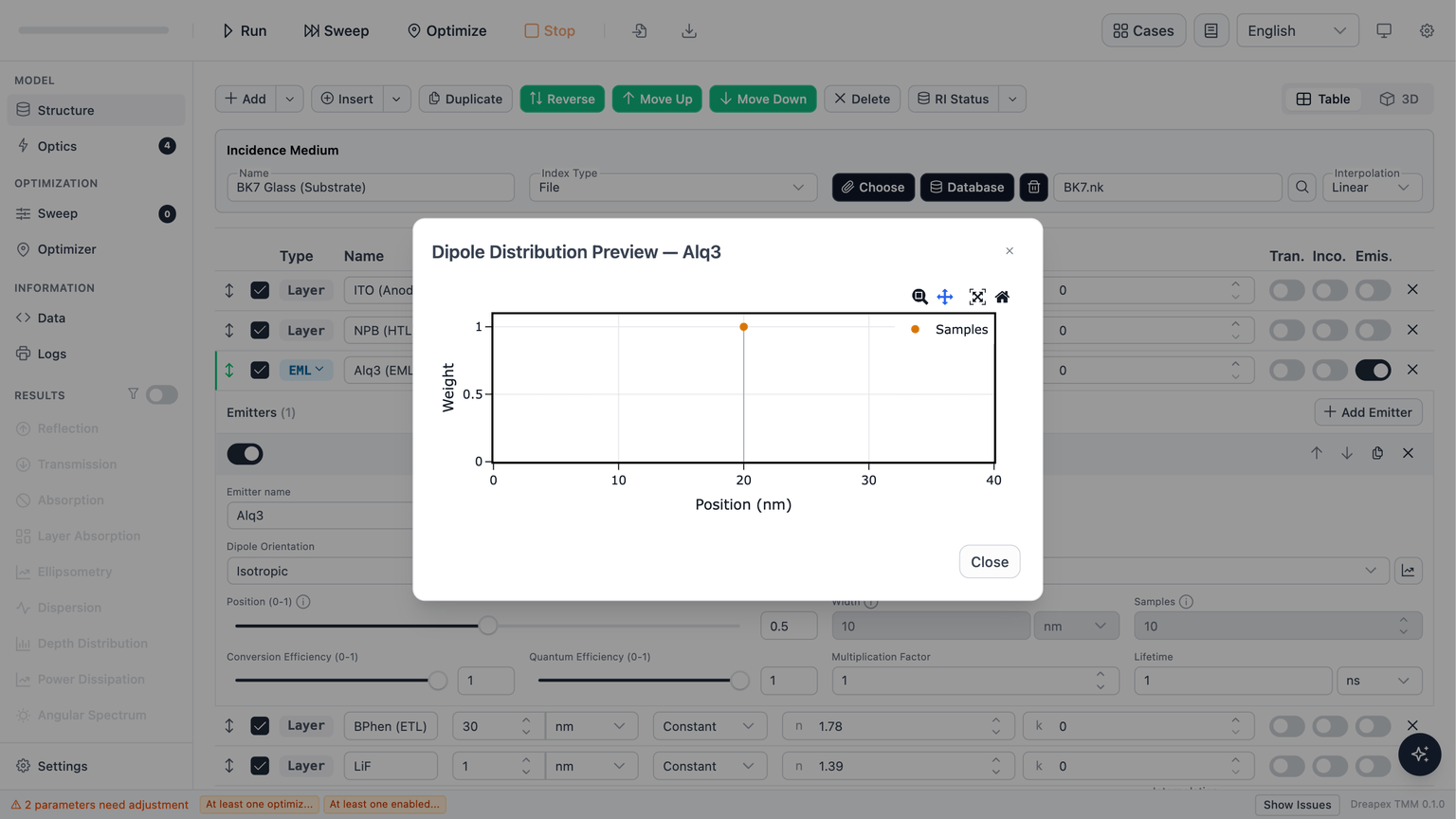
| Delta | Single point dipole concentrated at Position | Width and Samples are disabled (fixed single point) |
| Exponential | Peak at Position, exponential decay; Width = decay length | Both Width and Samples are configurable |
| Gaussian | Centered at Position, Width = standard deviation | Both Width and Samples are configurable |
| File | Arbitrary profile loaded from file; Position field is hidden | Width and Samples are disabled |
Click the preview button next to the Distribution dropdown to open a dialog showing the sampled distribution curve under the current parameters.
The distribution is sampled inside the layer and renormalized so the total integral equals 1; absolute amplitude is governed by Multiplication Factor and Conversion Efficiency independently of the profile shape.
Validation
Next
After configuring emissive layers and their emitters, go to Detectors to select which emission detectors to run (Power Dissipation, Intensity, Mode) and configure their wavelength ranges.