Dispersion Results
This chapter covers the four dispersion result pages: Phase φ(λ), Group Delay (GD), Group Delay Dispersion (GDD), and Differential Group Delay (DGD). These pages characterize how the thin-film stack modifies the temporal structure of transmitted or reflected pulses.
Use these pages to:
- evaluate spectral phase profiles for coating design,
- quantify pulse broadening via GDD,
- assess polarization-mode dispersion via DGD.
Example Setup
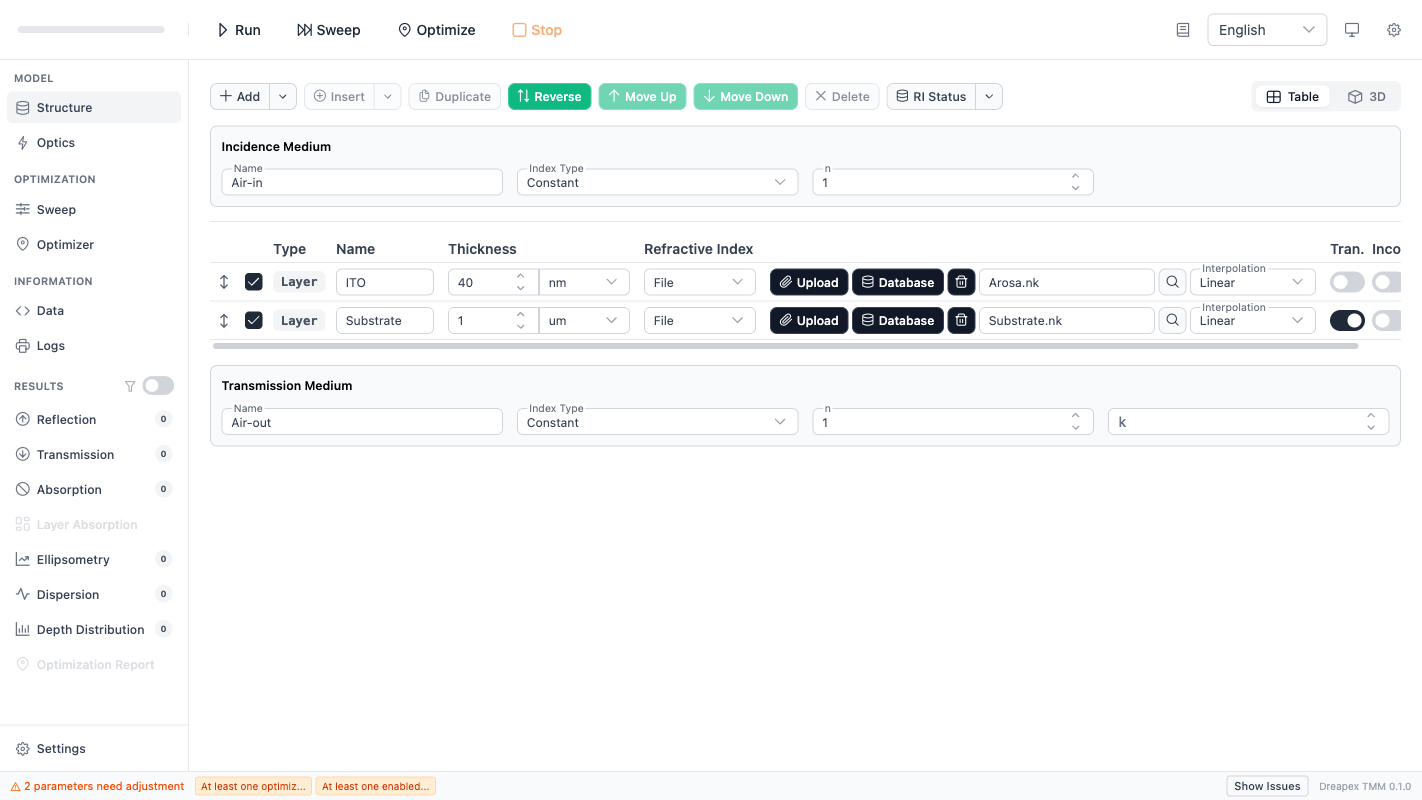
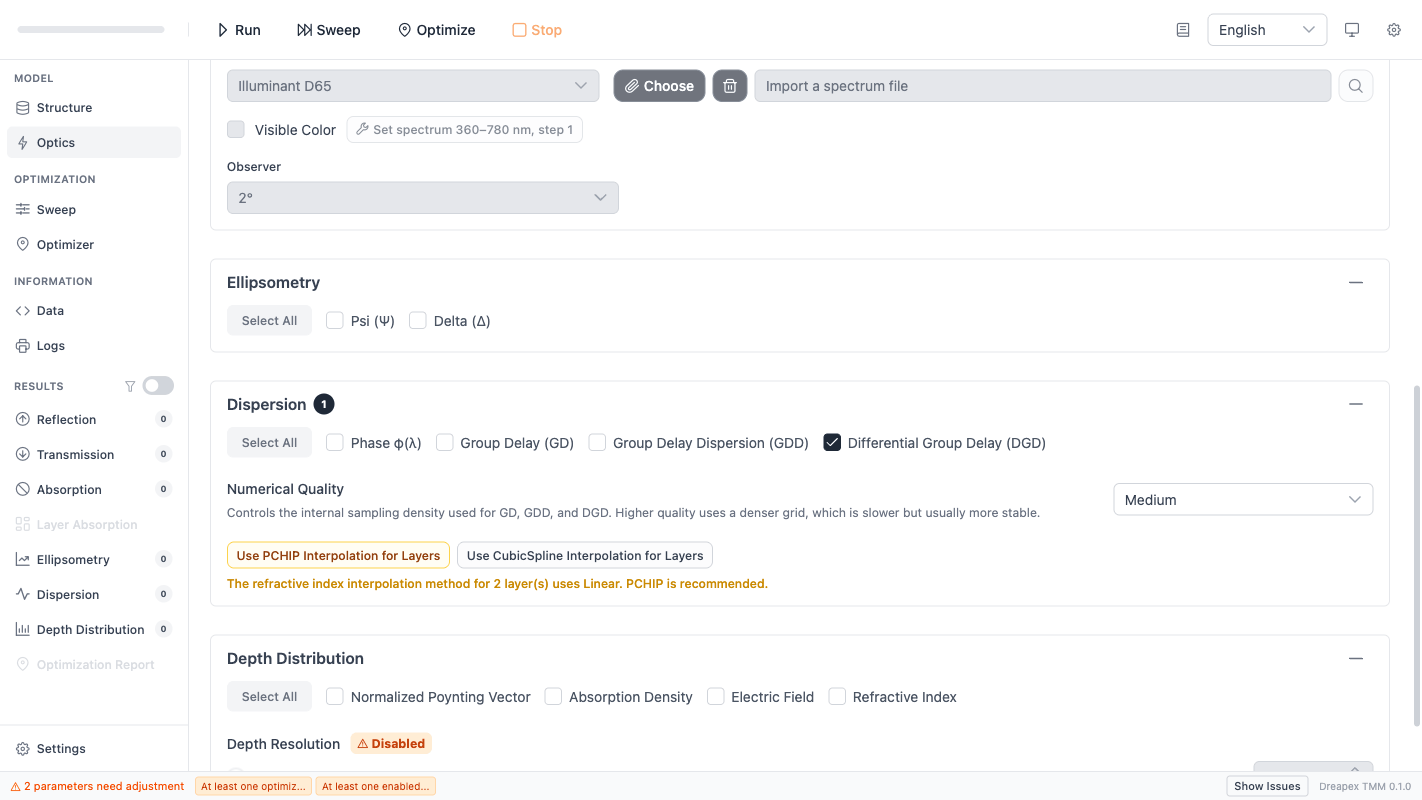
The following screenshots show the structure and optics configuration used to generate the dispersion results in this chapter:
Prerequisites
All four dispersion pages share the same activation requirements:
| Condition | Requirement |
|---|---|
| Wavelength mode | Sweep |
| Layer coherence | All enabled layers must be coherent |
| Average mode | Incompatible |
| Detector selection | At least one of Phase, GD, GDD, DGD must be enabled in the Dispersion section on the Optics page |
If any condition is not met, the corresponding result pages will have no data. See Optical Parameters — Dispersion Detectors for configuration details.
Result Controls
Each dispersion result page provides controls for selecting the displayed channel:
| Control | Options | Applies to |
|---|---|---|
Transfer Mode | Reflection, Transmission | All four metrics |
Polarization | S Light, P Light | Phase, GD, GDD only |
Unwrap Phase | On / Off (checkbox) | Phase only |
For DGD, the Polarization selector is hidden because the quantity is defined as the difference between P and S channels (GD(P) - GD(S)).
Phase φ(λ)
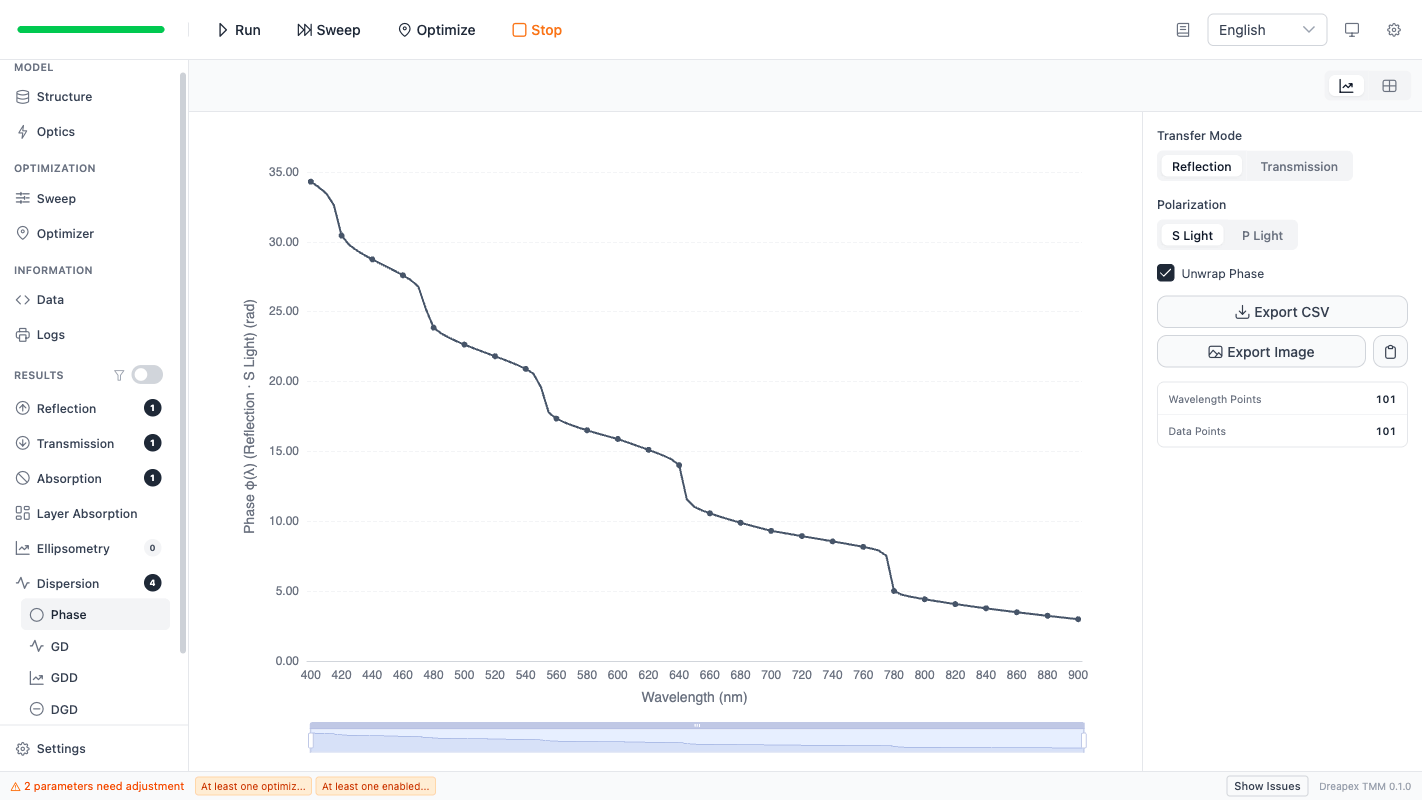
The Phase page displays the complex phase of the reflection or transmission coefficient as a function of wavelength. Phase values are in radians.
The Unwrap Phase toggle controls whether phase unwrapping is applied. When enabled, the phase curve is continuous without 2π jumps; when disabled, the raw wrapped phase is shown.
Phase data is stored with four channels: reflection_s, reflection_p, transmission_s, transmission_p. Use the Transfer Mode and Polarization controls to select the displayed channel.
Group Delay (GD)
Group Delay is the first derivative of the spectral phase with respect to angular frequency:
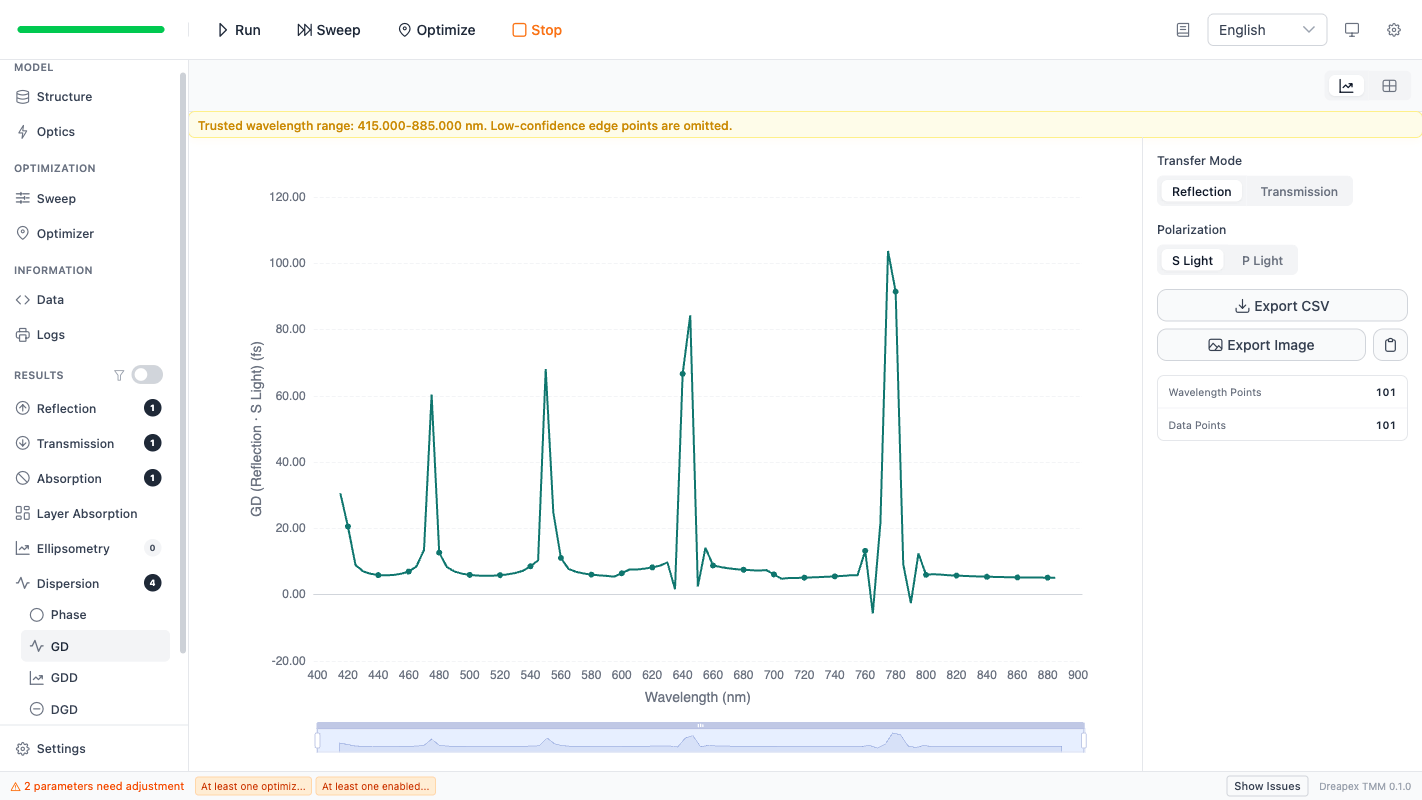
The unit is femtoseconds (fs). GD represents the time delay experienced by a narrow-band pulse centered at wavelength λ.
GD is computed via numerical differentiation. The Numerical Quality setting on the Optics page controls the internal sampling density, which affects the smoothness and accuracy of the GD curve.
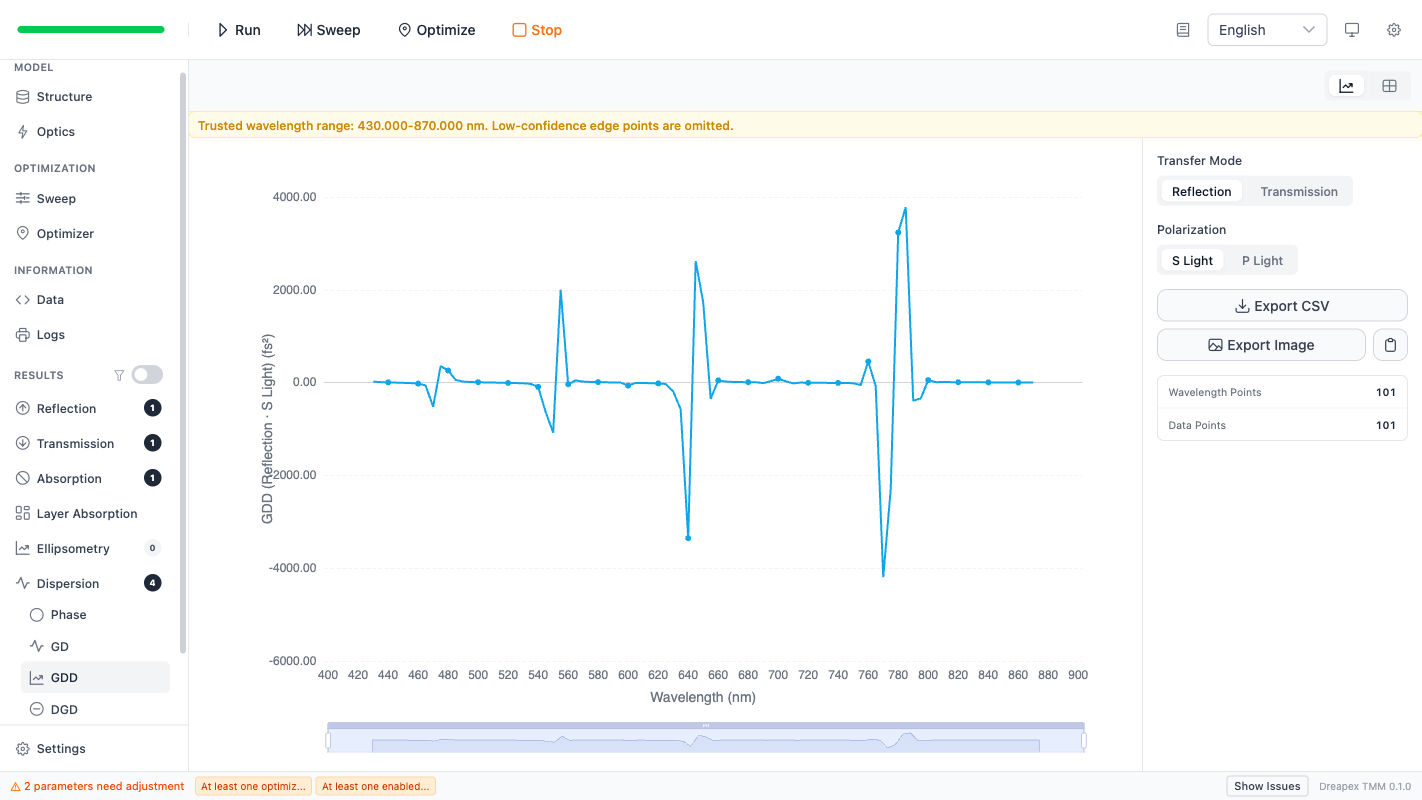
Group Delay Dispersion (GDD)
Group Delay Dispersion is the second derivative of the spectral phase:
The unit is fs² (femtosecond-squared). GDD quantifies how much a pulse broadens after passing through the stack. Positive GDD causes normal (positive) chirp; negative GDD causes anomalous (negative) chirp.
GDD requires more output points than GD for stable results due to the additional differentiation step. The recommended minimum is 20 wavelength points.
Differential Group Delay (DGD)
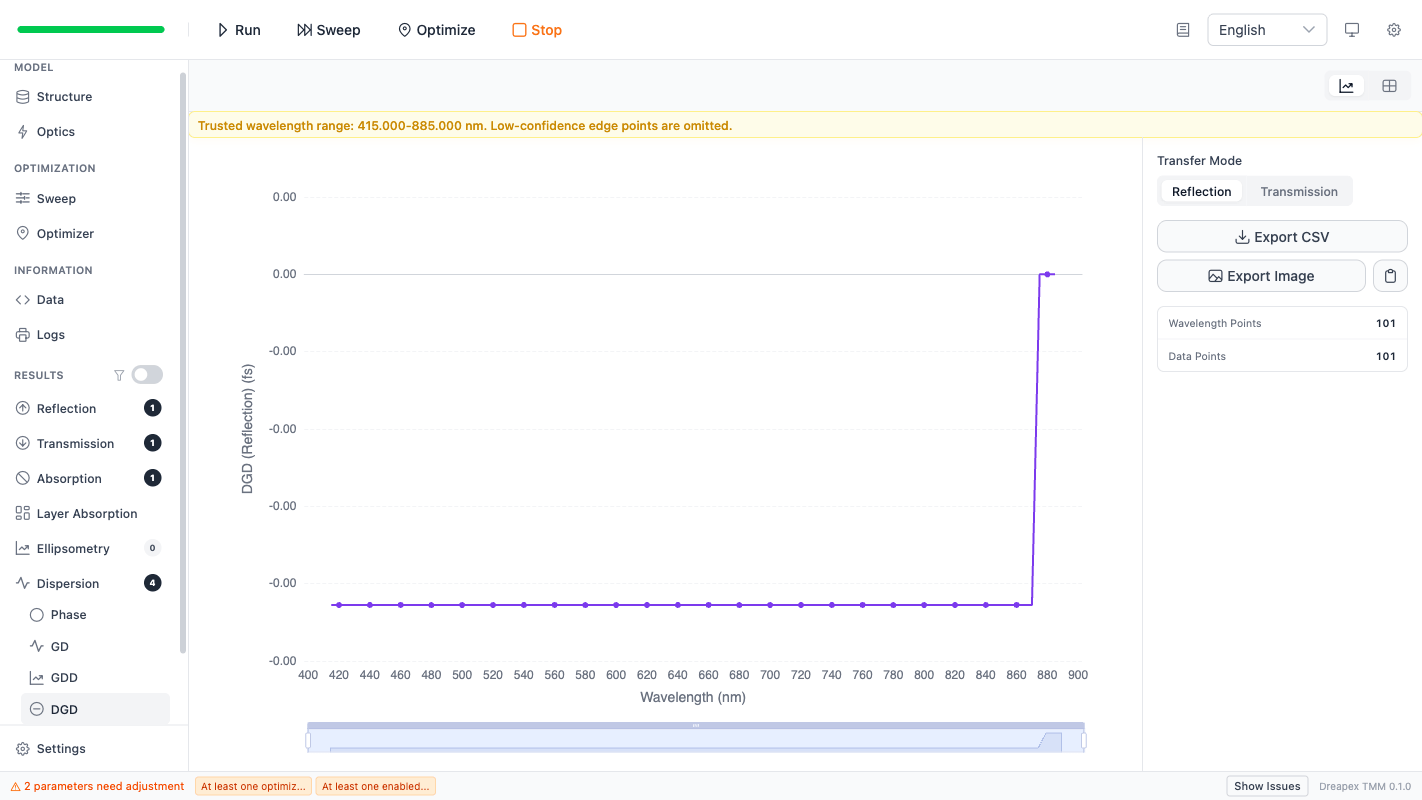
DGD measures the difference in group delay between the two orthogonal polarization states:
The unit is femtoseconds (fs). DGD is a measure of polarization-mode dispersion (PMD). A large DGD indicates that S- and P-polarized pulse components arrive at different times, which can degrade signal quality in polarization-sensitive systems.
Because DGD is defined as a difference between P and S, the Polarization selector is not shown on this page. Only Transfer Mode (Reflection / Transmission) is available.
Trusted Wavelength Range
For GD, GDD, and DGD, the numerical differentiation process produces edge artifacts at the boundaries of the wavelength range. The solver reports a trusted wavelength range in the result metadata.
A notice bar at the top of the result page displays the trusted range:
Trusted wavelength range: {from}-{to} nm. Low-confidence edge points are omitted.
Points outside this range are excluded from the chart and table. To maximize the trusted range, use a wider wavelength sweep range than the region of interest.
Phase does not require differentiation and therefore has no trusted-range restriction.
Sweep Behavior
Dispersion results follow the same chart/table display rules as other result pages:
| Sweep condition | Display behavior |
|---|---|
| No sweep (single run) | Chart with wavelength on x-axis |
| 1-parameter sweep | 2D chart with sweep parameter on secondary axis |
| 2-parameter sweep (non-scalar) | Forced to data table |
| Scalar wavelength result with > 3 sweep parameters | Forced to data table |
| Non-scalar wavelength result with > 2 sweep parameters | Forced to data table |
When the chart or table exceeds the data-size threshold, a large-data warning appears with a CSV export option.
Baseline Usage
For a first dispersion measurement:
- Set wavelength mode to
Sweepwith a range covering the region of interest plus margin (e.g.,400 ~ 900 nm, step1 nm). - Confirm all layers are coherent.
- Enable
PhaseandGDDat minimum. - Keep
Numerical QualityatMedium. - Run, then inspect the Phase and GDD pages.
- If GDD shows excessive noise, increase
Numerical QualitytoHighor applyPCHIPinterpolation.
For theory background, see Dispersion Theory.