Quick Start
This chapter builds a simple distributed Bragg reflector (DBR), runs a baseline calculation, and reads its reflectance (R), transmittance (T), and absorptance (A) spectra. By the end, you will have completed the minimum operational loop: structure modeling → optical configuration → run → result interpretation.
Scope
This chapter covers the following operating path:
- Build a 5-period TiO2/SiO2 DBR structure in
Structure. - Confirm illumination and detector settings in
Optics. - Execute one standard run through the top toolbar.
- Verify the run in
Logs. - Inspect the reflectance stopband in the result pages.
At this stage, do not introduce incident spectra, color calculation, parameter sweeps, or optimization. Establish a stable baseline first before moving to advanced features.
Interface by Function
Before modeling, identify the four interface regions used throughout the manual.
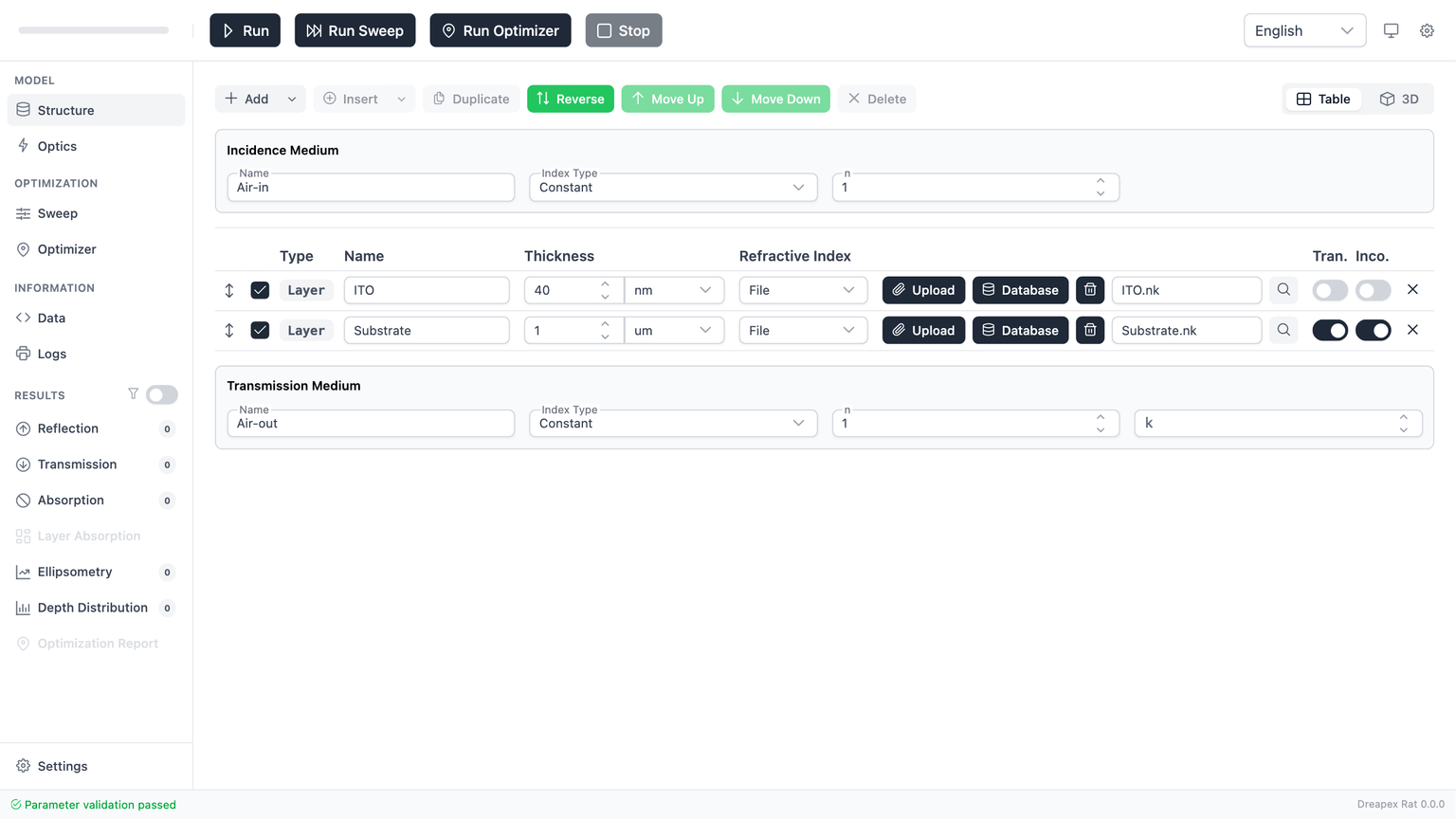
| Region | Main content | Role |
|---|---|---|
| Top toolbar | Run, Run Sweep, Run Optimizer, Stop, documentation link (book icon), and global controls | Submit calculations, access documentation, and control execution |
| Left navigation | Model, Optimization, Information, Results, Settings | Move between modeling, solving, and analysis views |
| Main workspace | parameter forms, charts, tables, and logs | Display the active input or output context |
| Footer | validation state, grouped errors, and readiness feedback | Provide status and diagnostic information before and after a run |
Use the left navigation to switch pages, the top toolbar to start calculations, the central workspace for input and output, and the footer to check validation and diagnostics. The book icon in the toolbar opens this documentation site directly.
Build the DBR Structure
This chapter uses a 5-period TiO2/SiO2 quarter-wave stack as the baseline model. This structure produces a distinct high-reflectance stopband in the visible range, making it an effective first simulation exercise.
Target structure: Air / (TiO2 / SiO2) × 5 / Air
Set the Surrounding Media
- Open the
Structurepage. - Confirm that
Incidence Mediumis set toAir-in(constant refractive indexn = 1). - Confirm that
Transmission Mediumis set toAir-out.
Clear Default Layers and Create a Layer Group
- Select and delete the default layers in the structure table until the table is empty.
- Click the dropdown arrow next to
Addin the toolbar, then selectLayer Group. - Name the Layer Group
DBR Periodand set the repeat count to5.
Configure the Layer Group Sub-layers
Click Edit Layer Group in the DBR Period row to open the editing dialog:
- Name the first sub-layer
TiO2, set its thickness to58 nm, and selectFileas the refractive-index model. - Use the RI database browser to search for
TiO2, selectmain/TiO2/nk/Devore, and confirm. - Add a second sub-layer, name it
SiO2, set its thickness to95 nm, and selectFileas the refractive-index model. - Use the RI database browser to search for
SiO2, selectmain/SiO2/nk/Malitson, and confirm. - Close the Layer Group editing dialog.
58 nm and 95 nm are approximate quarter-wave thicknesses estimated for a center wavelength of ~550 nm (). The exact values depend on the material dispersion and do not need to be precise to the nanometer.Verify the Structure
After configuration, the structure table should look like this:
| Order | Type | Name | Repeat | Sub-layers |
|---|---|---|---|---|
| 1 | Group | DBR Period | 5 | TiO2 (58 nm) + SiO2 (95 nm) |
Surrounding media: Air-in / Air-out.
Confirm that the footer shows no validation errors before proceeding.
Confirm Optical Parameters
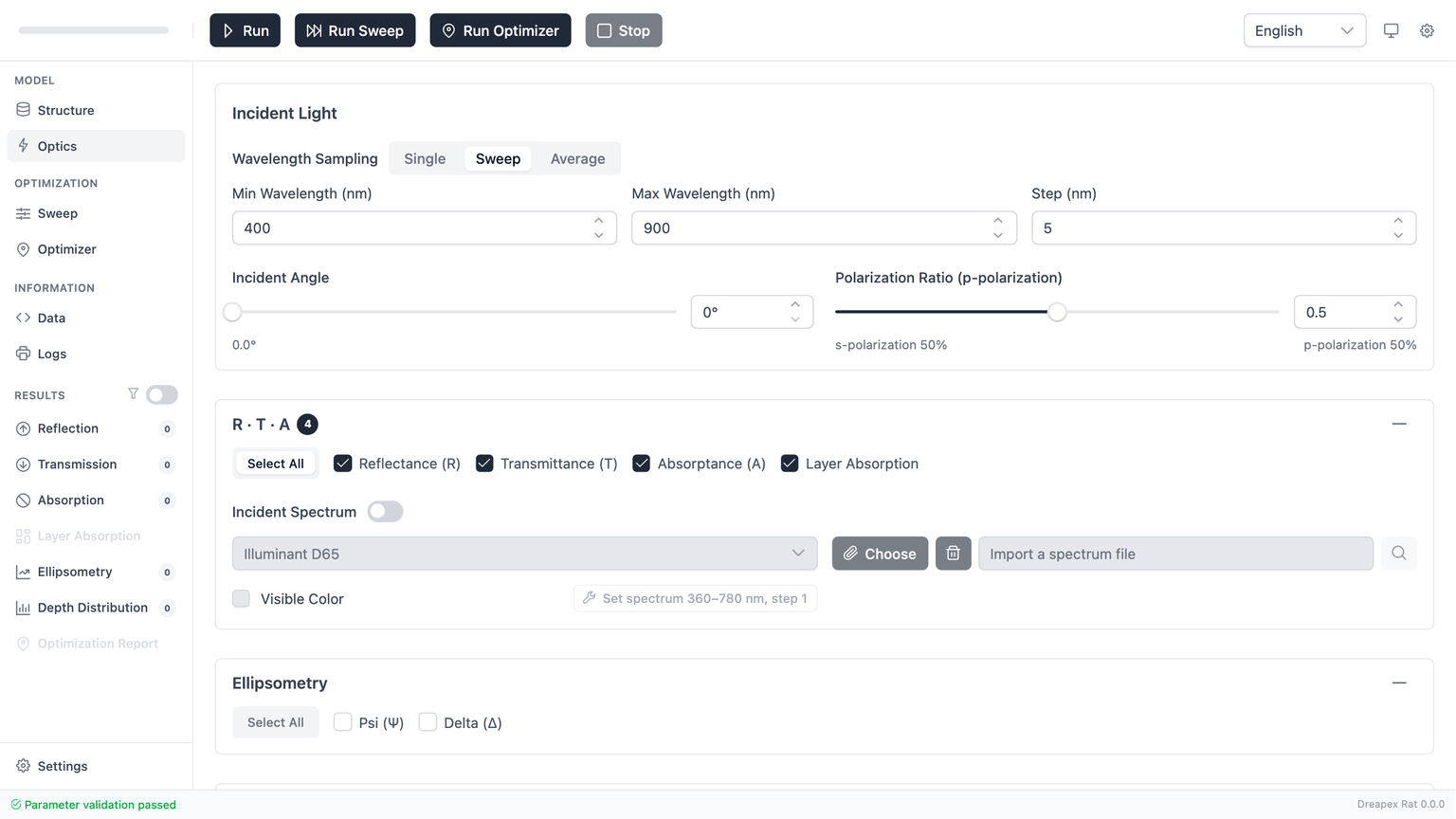
- Open
Optics. - Keep
Incident Angle = 0°. - Keep
pRatio = 0.5. - Keep the wavelength mode as
Sweep. - Set the wavelength range:
From = 430 nm,To = 800 nm,Step = 2 nm(430 nmis the lower bound of the Devore TiO2 data). - Confirm that
R,T,A, andLayer Absorptionremain enabled. - Keep
Incident SpectrumandVisible Colordisabled.
If Run is still disabled at this point, the model contains a validation error. Return to Structure or Optics, correct the invalid field, and continue only after the run control becomes available.
Execution and Run Verification
Click Run in the top toolbar.
The standard execution sequence is:
- The application submits the current model for calculation.
- The interface routes to
Logs. - The log view reports whether the task has started, completed, or failed.
For the first run, verify these items in Logs before reading any result:
- The calculation was accepted and started.
- The calculation completed successfully.
- No blocking error was reported.
If the task does not start, the usual cause is input validation. If the task starts but does not complete, use Logs to identify the failure and return to the model pages.
Result Interpretation
After a successful run, inspect the result pages in the following order:
ReflectanceTransmittanceAbsorptanceLayer Absorption
The first three pages establish the energy balance; Layer Absorption then shows where the absorbed power is distributed inside the stack.
Definitions and result-page controls are covered in Reflectance, Transmittance, and Absorptance.
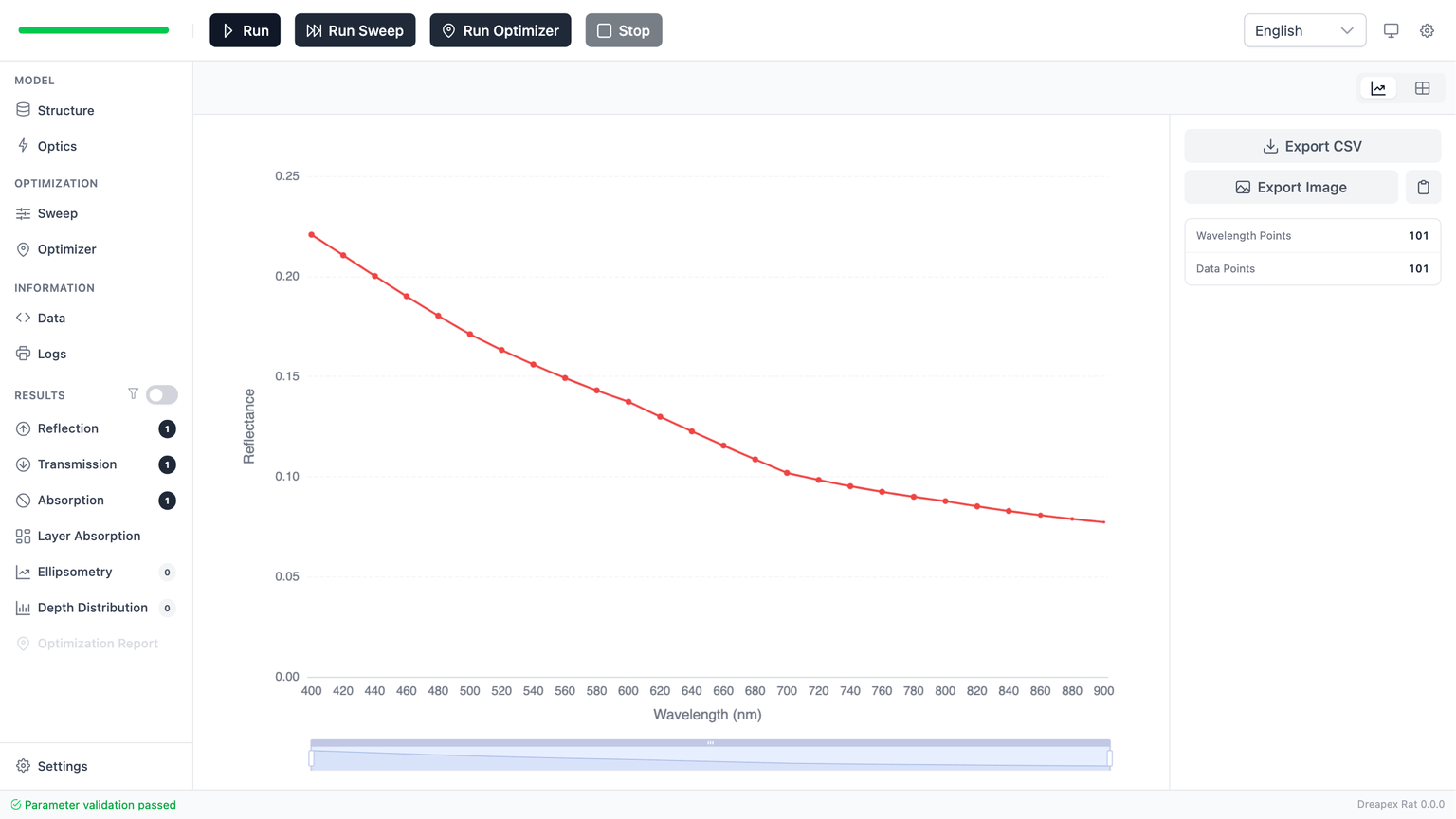
When reading the DBR reflectance result, look for the following features:
- Stopband region: In the mid-visible range (approximately 480–740 nm), reflectance approaches 1, forming a distinct high-reflectance plateau.
- Band edges: Reflectance drops sharply from high to low values at the band edges, forming steep transition zones.
- Sidelobe oscillations: Equally spaced oscillation peaks appear on both sides of the stopband — this is a normal feature of a finite-period stack.
- Energy conservation: At each wavelength,
R + T + Ashould be close to1. Since TiO2 and SiO2 are nearly lossless in the visible range,Absorptanceshould be very small.
If a result entry remains disabled, that usually means the current calculation did not generate that category of output. This is a configuration consequence, not necessarily an application error.
Baseline Validation
Use the following checks to determine whether the first calculation is physically consistent:
- Within the stopband,
Reflectanceshould be close to1, andTransmittanceshould be close to0. - On both sides of the stopband,
Transmittancerecovers,Reflectancedrops, and sidelobe oscillations appear. R + T + A ≈ 1holds at all wavelength points.- In
Layer Absorption, the sum of layer-resolved absorption should match the totalA.
If these checks fail, inspect the following in order:
- Whether the material selection and thickness values inside the Layer Group are correct.
- Whether the run actually completed successfully in
Logs. - Whether the current session restored a previous draft and the visible model no longer matches the intended baseline.
First Parameter Variation
Before moving on, perform one controlled comparison to build intuition for DBR parameter sensitivity:
- With the current 5-period DBR, note the stopband width and peak reflectance in
Reflectance. - Change the Layer Group repeat count from
5to3and run the model again. - Compare the two results: with fewer periods, in-band reflectance decreases and the band edges become less steep.
This comparison isolates a single parameter (period count) and demonstrates a core DBR design rule: increasing the number of periods improves in-band reflectance and band-edge steepness.
Emission Quick Path
The DBR baseline above is a propagation simulation. For light-emitting devices such as OLEDs and QLEDs, emission simulation reuses the same structure-modeling workflow — you only add emitters and emission detectors on top of the structure:
- Build the device layer stack (electrodes, transport layers, emissive layer) following Structure Configuration.
- Enable the
Emis.toggle for the target layer inStructureand configure at least one emitter (spectrum type, dipole orientation, position, distribution). See Emitter Setup. - Enable
Power Dissipation,Intensity, andModein theEmissiondetector group onOptics. See Emission Detectors. - Click
Run; propagation and emission complete in a single run. - Inspect the
Power Dissipation,Intensity,Mode, andEmissionresult pages in the results sidebar.
For the full workflow and the meaning of each parameter, see Emission Structure.
Next Steps
After you can repeat the baseline run reliably, continue in this order:
- Read Structure Configuration to understand every structural field and editing action.
- Read Optical Parameters to understand wavelength modes, detector groups, and source configuration.
- Then proceed to Parameter Sweep for systematic parameter studies, or move to the result chapters for detailed interpretation.