Emission Detectors
Emission detectors are configured on the Optics page. The detector panel is split into two lanes: Propagation (for incident-light simulation) and Emission (for in-layer EML emission simulation). Switching lanes shows a count badge for the detectors enabled in each lane.
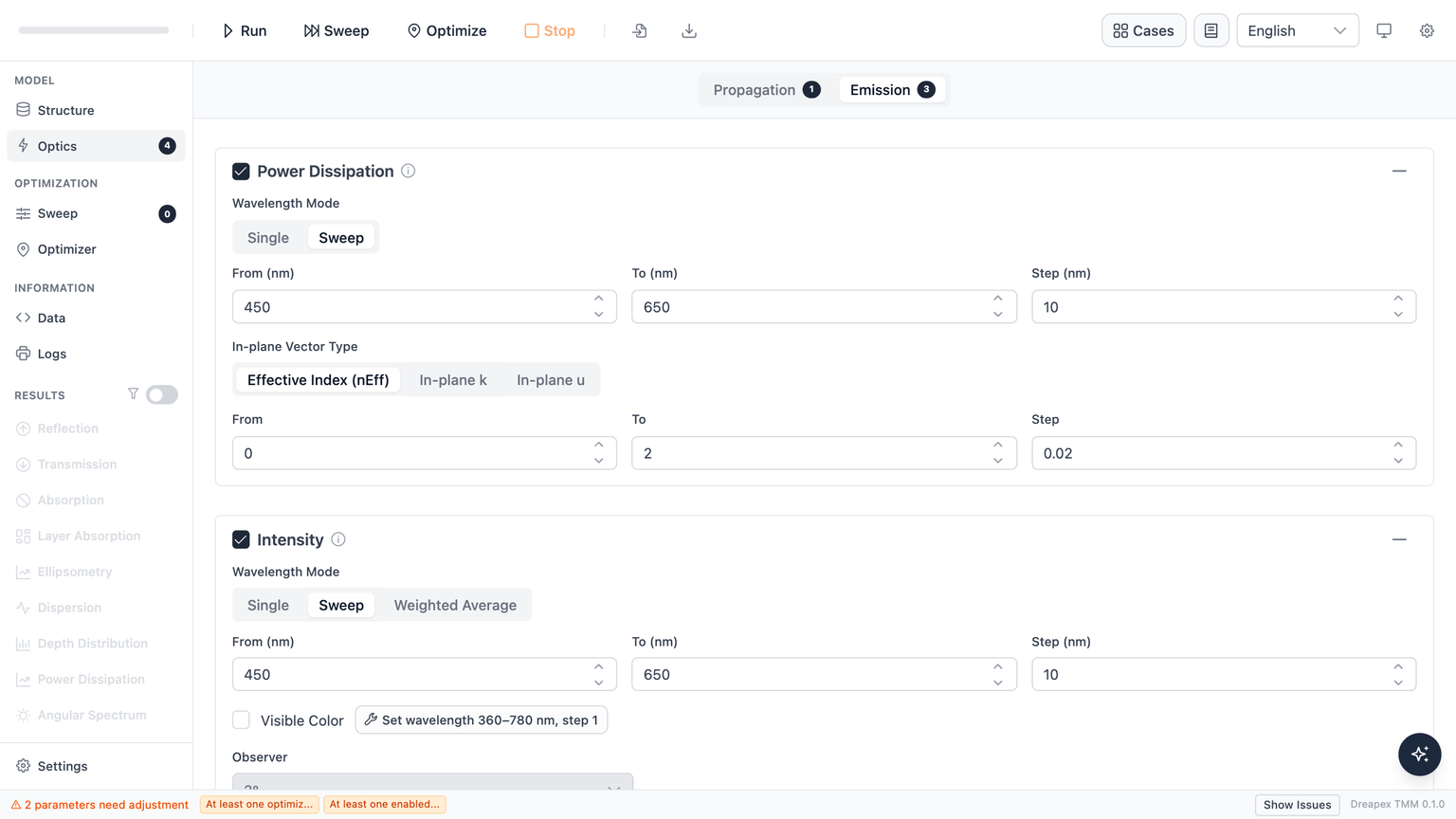
The Emission lane
The Emission lane provides three detectors:
| Detector | Output |
|---|---|
| Power Dissipation | Emitter dipole power coupled into in-plane wavevectors (power dissipation spectrum). Results: Power Dissipation. |
| Intensity | Far-field emission intensity vs. wavelength (and optionally angle). Results: Intensity. |
| Mode | Guided and leaky optical modes supported by the emissive structure. Results: Mode. |
Wavelength modes
Available wavelength modes per detector:
| Detector | Single | Sweep | Weighted Average |
|---|---|---|---|
| Power Dissipation | Yes | Yes | No |
| Intensity | Yes | Yes | Yes |
| Mode | Yes | Yes | Yes |
Power Dissipation has no Weighted Average mode. This restriction is enforced at the schema level. For spectrally weighted emission power information, use the Intensity detector in Weighted Average mode instead.
Mode behavior:
- Single: Calculates at one specified wavelength; result is a one-dimensional distribution (in-plane vector or angle as the x-axis).
- Sweep: Calculates at each wavelength from
FromtoToinStepincrements; result includes the full spectral dimension, with heatmap and line-chart display options. - Weighted Average (Intensity / Mode only): Collapses the wavelength dimension to a single effective value weighted by the emitter spectrum; useful for comparing overall outcoupling efficiency across structures without resolving individual wavelengths.
Per-detector configuration
Power Dissipation
In addition to wavelength parameters, Power Dissipation requires an In-plane Vector Type to define the x-axis physical quantity:
| Option | Label | Default range |
|---|---|---|
nEff | Effective Index (nEff) | 0 → 2.0, step 0.01 |
In-plane k | In-plane k | 0 → 1, step 0.01 |
In-plane u | In-plane u | 0 → 1, step 0.01 |
The default is nEff (effective refractive index).
Intensity
In addition to wavelength parameters, Intensity has an Angle Mode:
| Option | Description |
|---|---|
| Single | Samples far-field intensity at one specified angle only. |
| Sweep | Samples across an angle range from From to To at Step intervals. Default: 0°–80°, step 5°. |
Angle constraints: 0° ≤ angle ≤ 90°; Sweep mode requires angleTo > angleFrom.
Mode
In addition to wavelength parameters, Mode has a Tolerance field:
- Default:
1e-4 - Controls mode-search convergence precision; must be greater than 0.
- Wavelengths with unconverged modes are marked with
*in the results.
Intensity Color
Intensity Color is a derived feature of the Intensity detector that computes CIE chromaticity coordinates and visible emission color.
- Intensity detector is enabled
- Wavelength Mode is Sweep (not Single or Weighted Average)
- The sweep covers 360–780 nm at step ≤ 5 nm
When Wavelength Mode is not Sweep, the Visible Color toggle is disabled and shows the tooltip:
Visible Color can only be enabled when Wavelength Mode is Sweep.
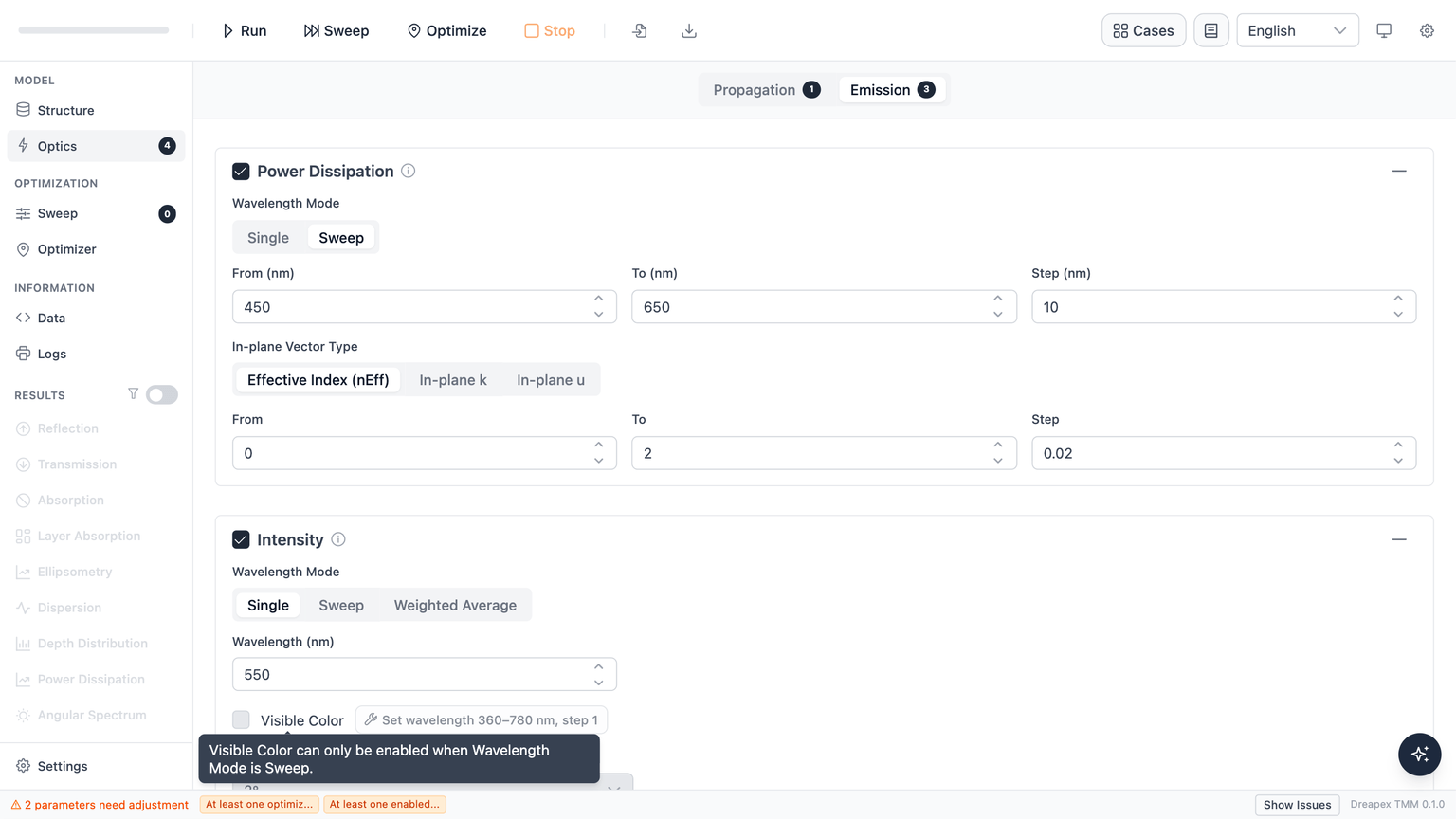
If the current configuration does not meet the requirements, a hint is shown alongside an auto-fix button: clicking it enables the Intensity detector and sets the wavelength sweep to 360–780 nm at step 1 nm in a single action.
Color output also requires selecting a chromaticity observer:
- 2° (default)
- 10°
Detector guards
When the structure has no emissive layer (EML):
- An info banner is shown at the top of the Emission lane: "No emissive layer (EML) in the structure. Mark a layer as emissive on the Structure page to enable Emission detectors."
- Emission detector cards are not disabled — users can still freely check or uncheck detectors. Cards are only locked while a calculation is in progress.
Next
- Configure sweep parameters: Parameter Sweep
- View simulation results: Power Dissipation · Intensity · Mode